Private recipe keeper for iPhone and iPad
All your recipes, and they import the first time.
Trivet saves recipes from any link, photo, or saved video, scales servings, plans your week, and builds the grocery list. It keeps your library on your devices, with no account, no ads, and honest pricing.
No account. No ads. No data sale.
What Trivet does
Everything a home cook needs, done well.
The basics other apps fumble or paywall are solid and free here. The rest is the depth that keeps a kitchen running.
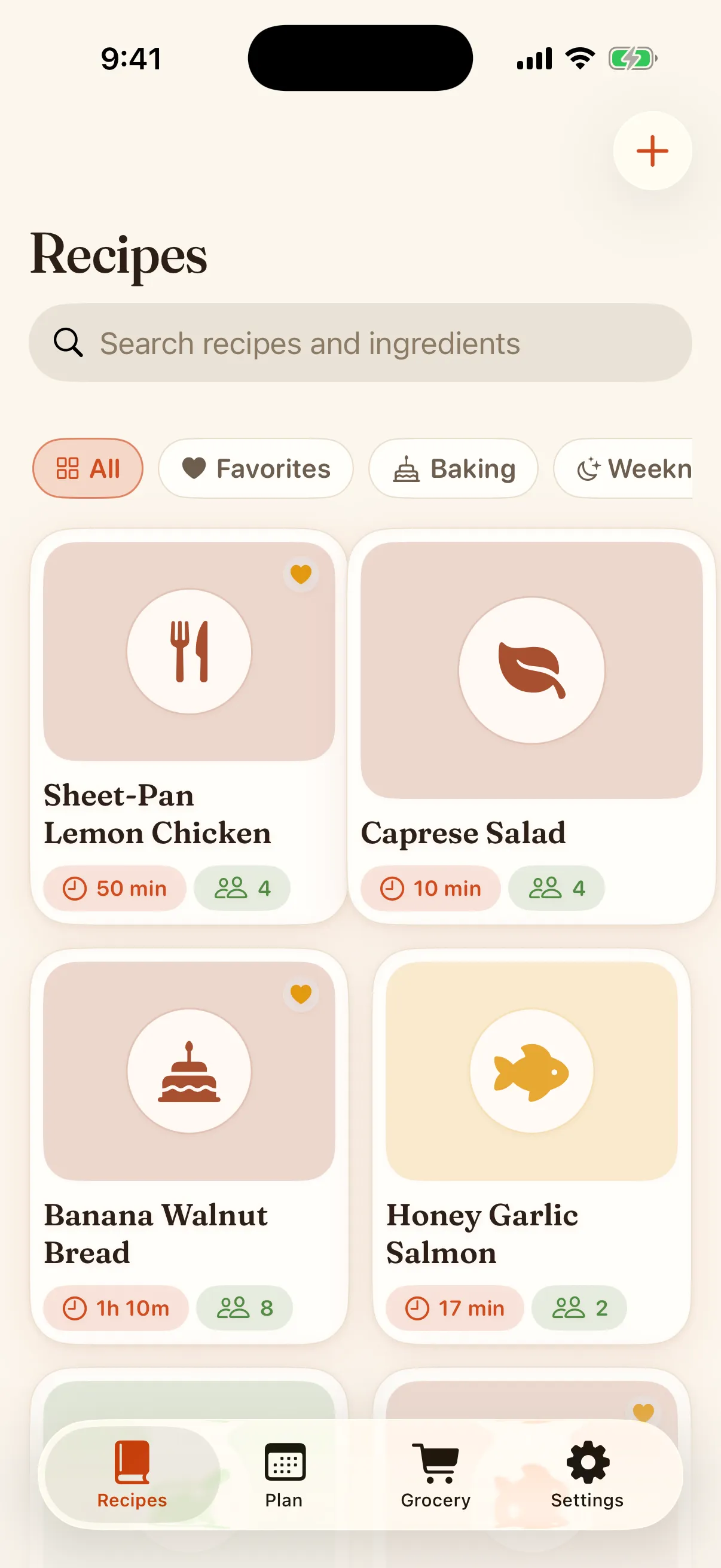
Reliable web import
Share a page from Safari or paste a link and get clean ingredients and steps. Free, and never capped at a punitive limit.
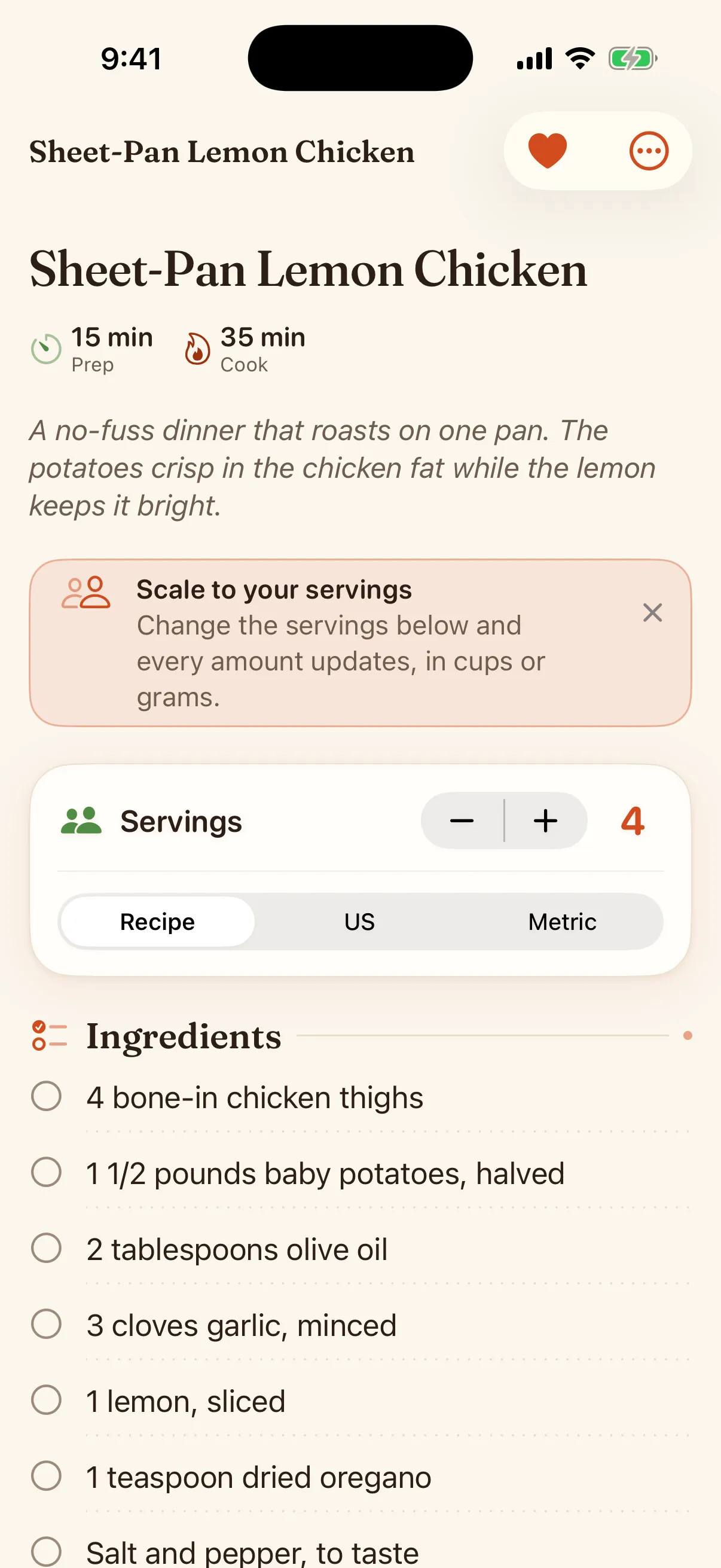
Serving scaling
Cooking for two or twelve? Scale a recipe and the amounts redo themselves, in cups or grams.
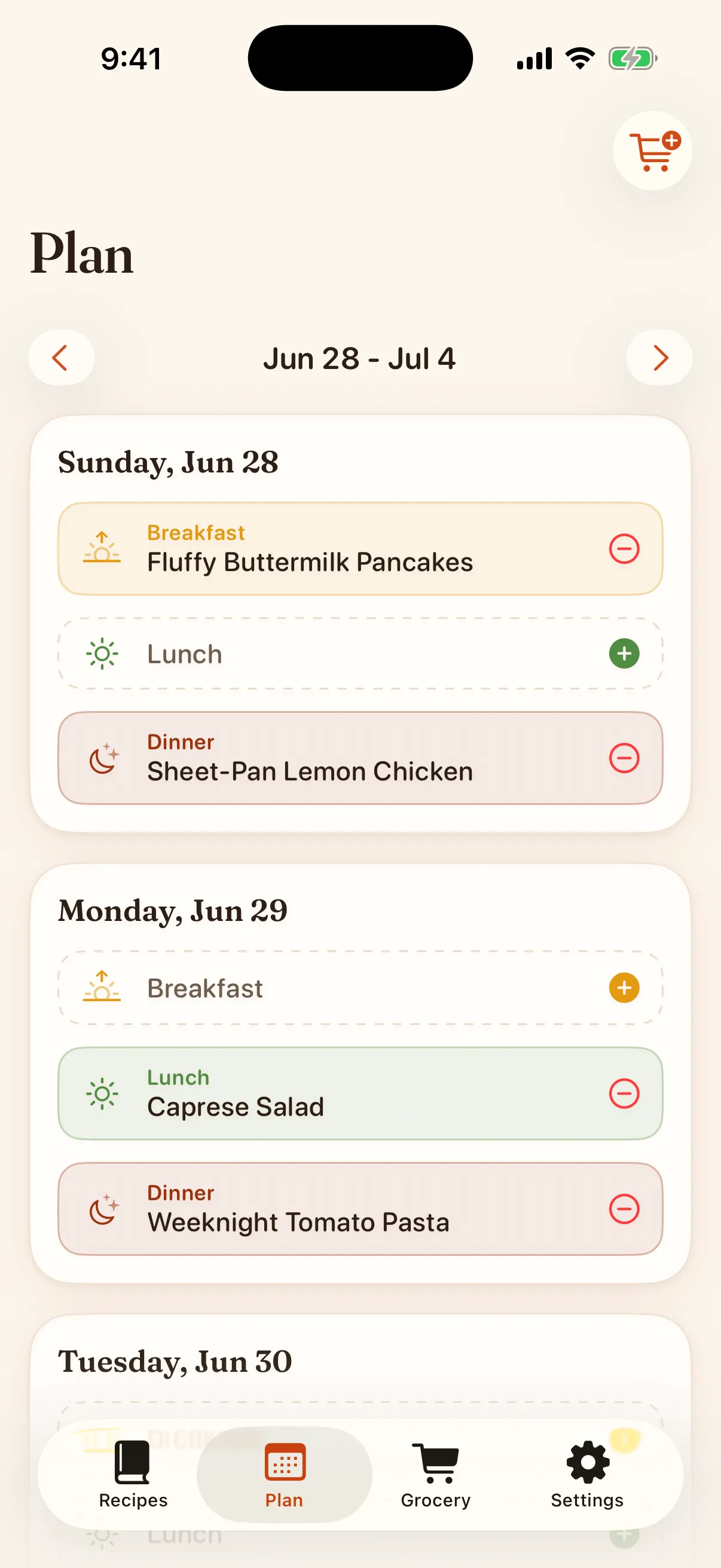
A meal planner that works
Drop recipes onto your week, then turn the plan into a grocery list in one tap. Seven planned meals are free, and Premium removes the limit.
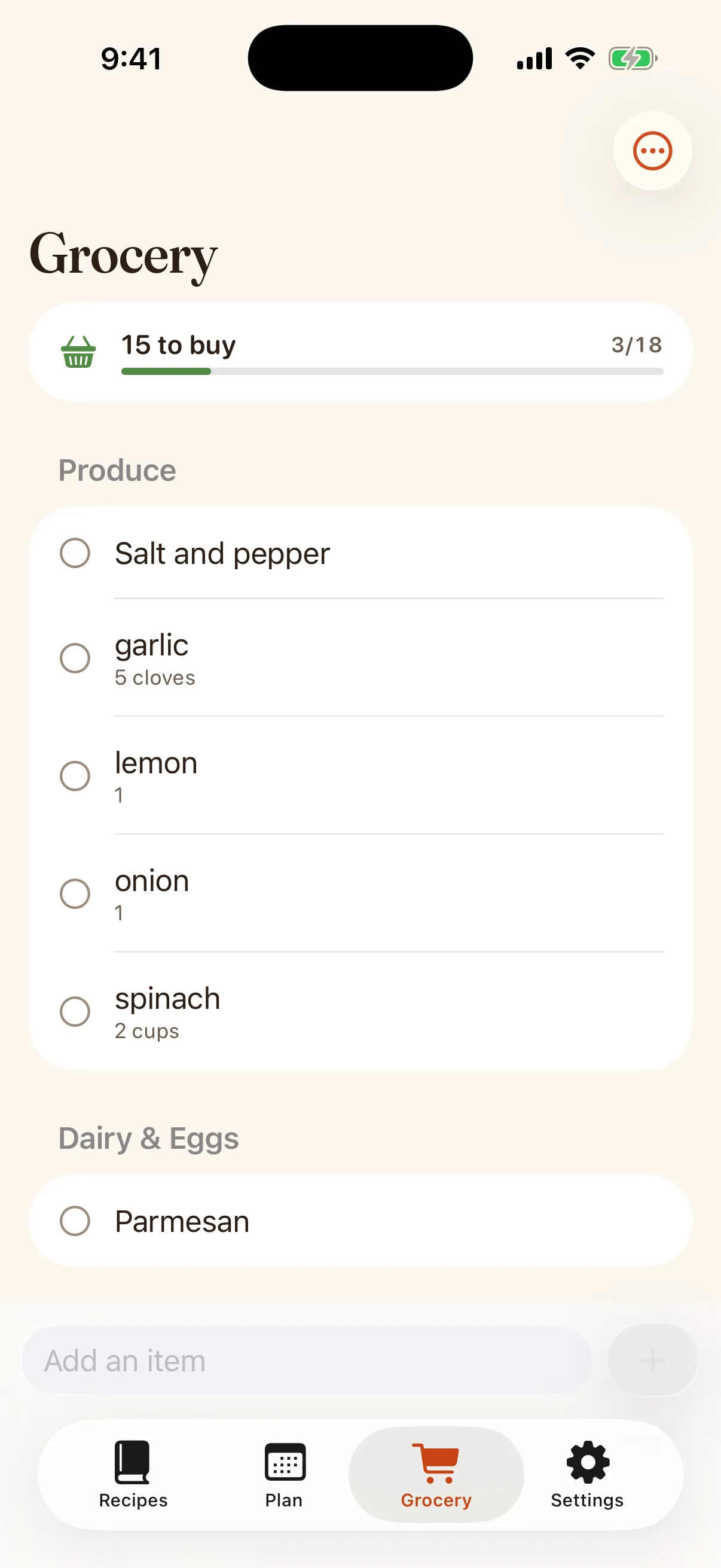
Smart grocery list
Duplicates merge, and with Premium the list sorts by store aisle, so you shop the way you walk the store.
Clean cooking mode
Step by step, screen stays awake, and the timer rings even if the phone locks.
Private and yours
Your library lives on your devices and syncs through your own iCloud, which you can turn off in Settings. No account, no ads, no tracking, and a full export whenever you want it.
In the kitchen
Scale a recipe, build the list, cook from it.
Set the servings and the amounts redo themselves, in cups or grams. Add a recipe to your grocery list and the duplicates merge; with Premium the list sorts by aisle. Then cook step by step with the screen awake.
- Metric and imperial, with real conversion
- A grocery list that combines what you already added
- Timers pulled straight from the steps
At the stove
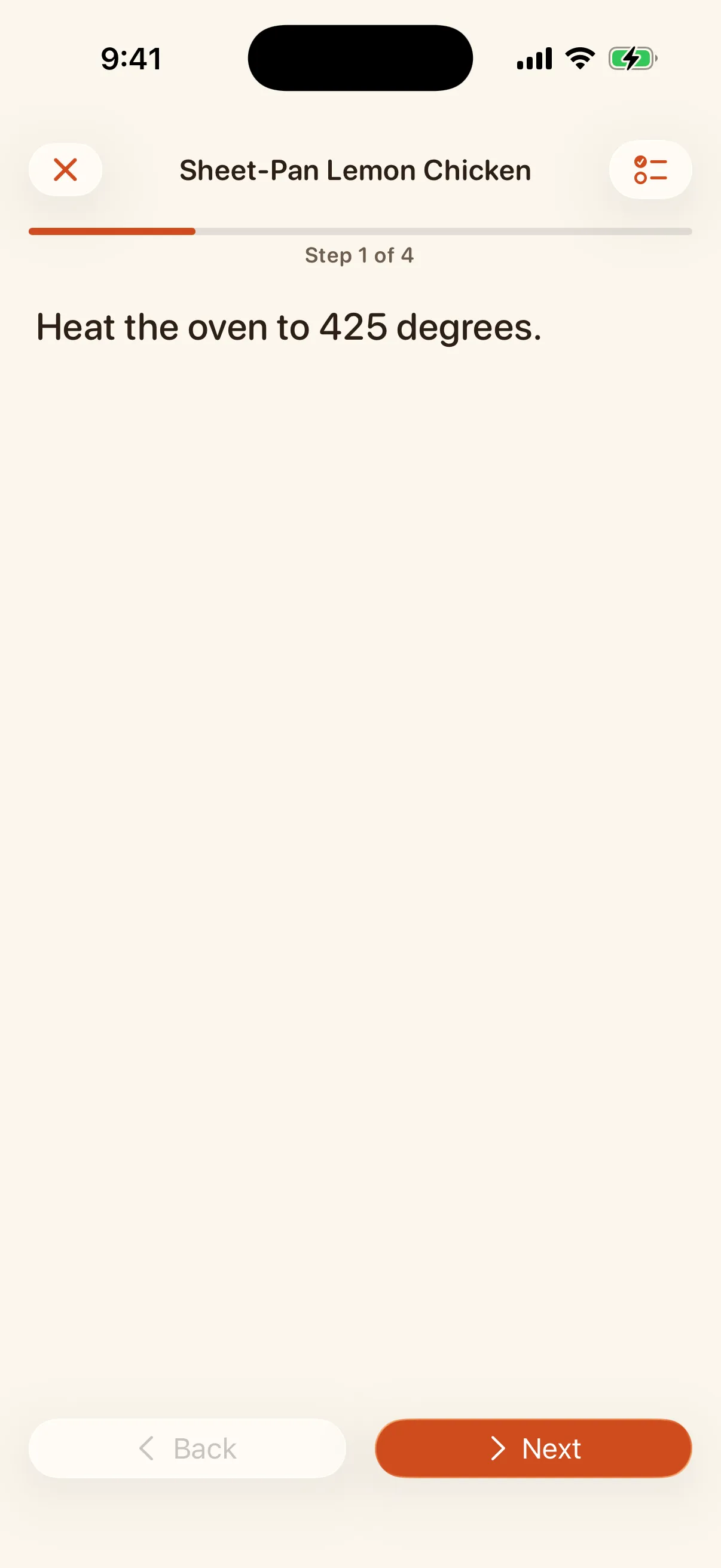
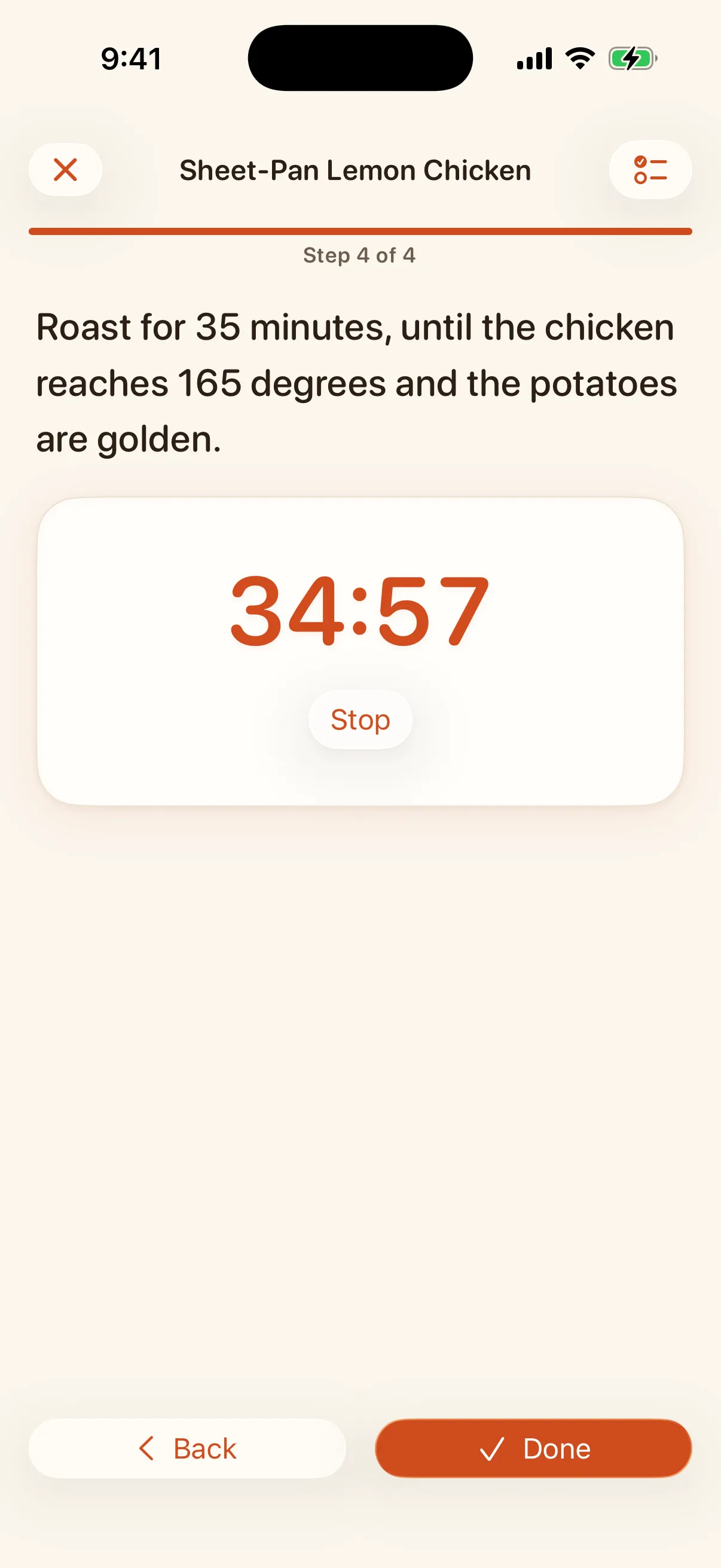
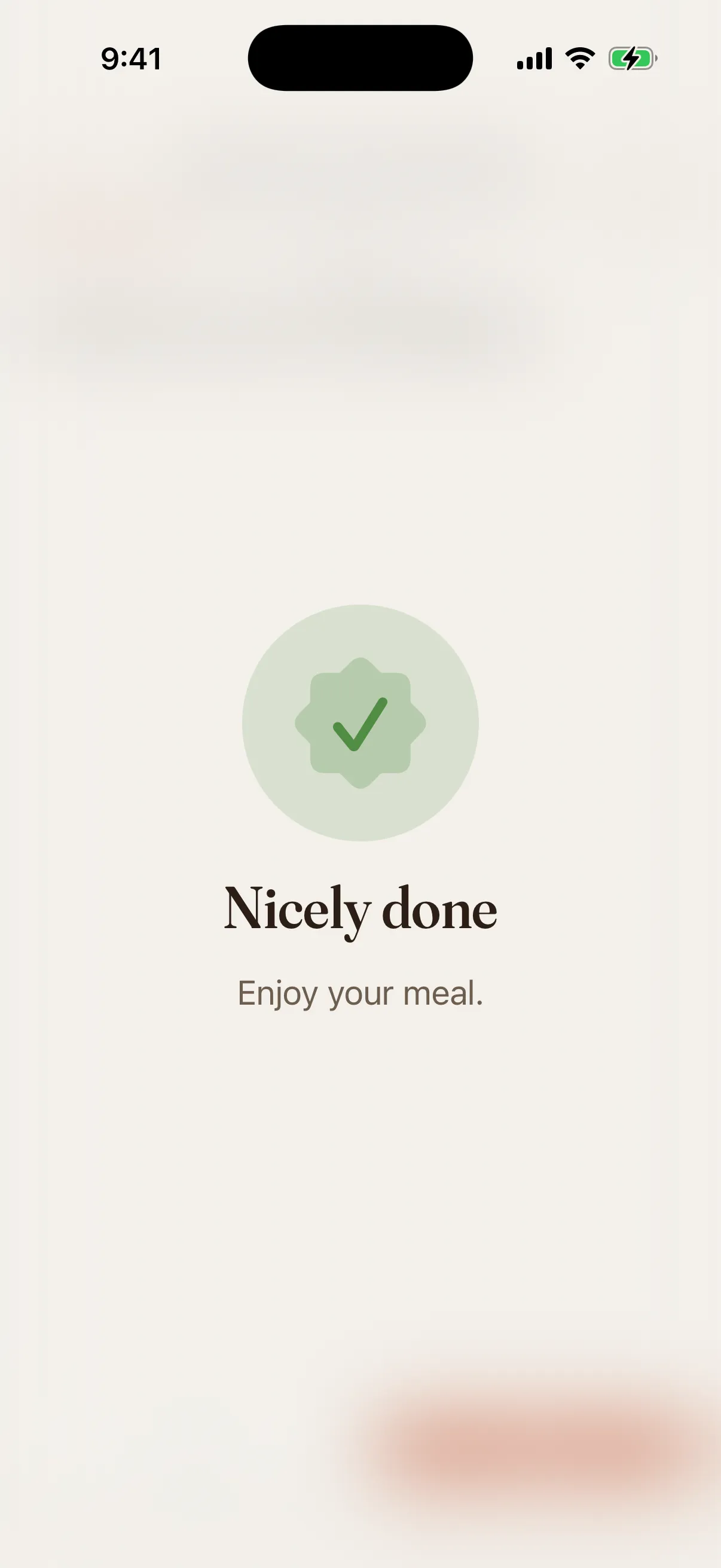
Cooking mode carries you to "nicely done."
One step at a time, readable from across the kitchen. The screen stays awake, a timer is one tap when a step needs one, and finishing feels like finishing.
How it works
From a link to dinner in three steps.
Import a recipe
Share from Safari, paste a link, or scan a photo, a PDF, or a saved video. Trivet pulls in the ingredients and steps, cleanly.
Plan and shop
Add it to your week, then build the grocery list, sorted by aisle with Premium.
Cook and keep
Cook step by step. Your recipe stays in your library forever.
Compared honestly
Why people switch.
Paprika is loved but its meal planner is buggy and its design is dated. ReciMe is modern but its import is unreliable and its subscription is resented. Trivet does the open thing: reliable import, a planner that works, honest pricing, and real privacy.
| What matters | Trivet | Paprika | ReciMe |
|---|---|---|---|
| Reliable web import | Yes, free | Basic | Unreliable, capped |
| Meal planner that works | Yes | Buggy | Limited |
| No account, on-device | Yes | Account sync | Account required |
| One-time lifetime price | Yes, $39.99 | Per platform | Subscription only |
| Full export of your data | Yes | Yes | Reports of loss |
Based on published reviews and the apps' own descriptions as of mid-2026. Names belong to their owners.
Honest pricing.
The basics are free forever. Premium adds depth, and the lifetime option means you can pay once and never see a subscription again. Prices are in US dollars. The App Store shows the equivalent price in your country.
Free
$0
Everything you need to keep recipes
- Unlimited recipes
- Reliable web import
- Save from social posts and Discover
- iCloud sync
- Serving scaling and cooking mode
- Basic grocery list, shareable with Reminders
- Full export
- Two cookbooks, three scans, and seven planned meals
Lifetime
$39.99
Pay once, yours forever
- Everything in Free
- Unlimited meal planning
- Unlimited photo, PDF, and video import
- Aisle-sorted grocery list
- Unlimited cookbooks
- One-tap backups
- Accent themes
- Shared with your family
Yearly
$19.99
$1.67/mo, 7-day free trial
- All Premium features
- Billed yearly, or $2.99 a month
- Shared with your family
- Cancel anytime in iOS Settings
Free, no sign-up
Useful before you install anything.
Seventeen printable sheets and two live tools, all free and none of them behind an email form. Print them, use them, and install Trivet only if you want the searchable version.
Good to know before you cook
Does the web import actually work?+
That is the whole point of Trivet. It reads the structured recipe data that most cooking sites publish, with fallbacks for the ones that do not, and it always hands you a clean draft you can fix. Import is free, and it is the part we test hardest.
Do I need an account?+
No. There is no sign-up and no password. Your recipes are stored on your device, private by design, and the whole library exports to a file you keep. Syncing between your iPhone and iPad runs through your own iCloud, not an account with us.
Is there a subscription?+
The basics are free forever: unlimited recipes, web import, saving from social posts, iCloud sync, scaling, cooking mode, a basic grocery list, two cookbooks, seven planned meals at a time, and full export. Premium adds unlimited planning, unlimited scanning from photos, PDFs and saved videos (your first three scans are free), the aisle-sorted grocery list, unlimited cookbooks, accent themes, and one-tap backups. Yearly is $19.99 and Monthly is $2.99, both with a 7-day free trial when Apple finds your Apple Account eligible, and Lifetime is a one-time $39.99. Whichever plan you buy is shared with your family.
Can I get my recipes out?+
Any time. Trivet exports your whole library to a plain JSON file you keep. Your collection is yours, and you are never locked in.
What about my data?+
Your recipes live on your devices, and no server of ours stores them. Trivet syncs through your own private iCloud, tied to your Apple Account, which we cannot read, and you can turn that off in Settings. Social posts and the Discover browser load straight from those sites to your device. When you import from a link, Trivet asks a small stateless import service to fetch that one page and hand back the recipe; it stores nothing and keeps no logs. Photo, PDF, and saved-video scans run entirely on your device. No tracking, no ads, no data sale. That is why our App Privacy label reads Data Not Collected.
Can I save a recipe from TikTok or Instagram?+
Yes. Share the post to Trivet or paste its link. Trivet reads the caption, follows the recipe link if there is one, and hands you a clean draft to check. It works with TikTok, Instagram, YouTube, Facebook, and Pinterest. If a post has no recipe in it, Trivet says so instead of inventing one.
Does Trivet work on iPad?+
Yes. On iPad you get a sidebar, your library beside the open recipe, a planner you can drag recipes onto, and a cooking mode laid out for the bigger screen. It is the same app and the same library as on your iPhone.
Does it sync between my devices?+
Yes, through iCloud. On a new install Trivet syncs whenever the device is signed in to iCloud, so your recipes, cookbooks, meal plan, and grocery list follow you from iPhone to iPad with no Trivet account. If you used Trivet 1.0, your library stays on that device until you turn sync on in Settings > iCloud. The data goes from your device to your own Apple Account, never to a server of ours, and you can stop syncing on any device in Settings > iCloud. If iCloud is signed out or switched off for Trivet, the library looks empty on that device until iCloud is back on; the recipes stay in your iCloud.
Can I share my grocery list with my family?+
Yes. Connect your grocery list to a list in Apple Reminders and share that list with the people you shop with. Add or check off an item in either place and the other one updates. Trivet only touches the list you choose.
Your cookbook, finally done right.
Save your first recipe in under a minute. Free to start, yours to keep.